
Waypad
Agent-planned travel

Features for the trip after the plan.

Waypad starts well with an agent, but the app still works when you need to change the trip yourself: edit the day, check routes, keep notes, and share places with friends.

1Travel from the day view

The phone view is the operating surface for the trip, not just a copy of the original plan.

  • See the current day, photos, times, places, and notes in one scan.
  • Jump to Map, Friends, or Notes from the bottom toolbar.
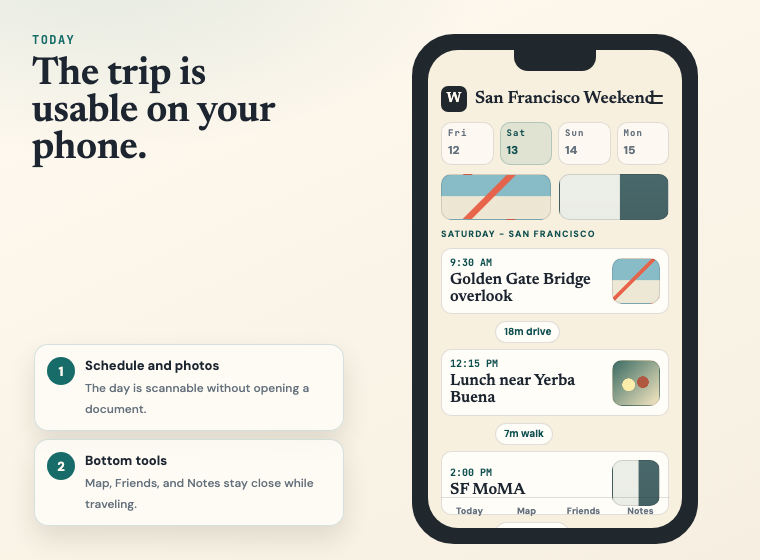
Waypad phone day view showing a San Francisco itinerary with photos, transit pills, and bottom toolbar

2Edit without going back to the agent

The agent is convenient for big planning changes. Small fixes should be fast on the phone.
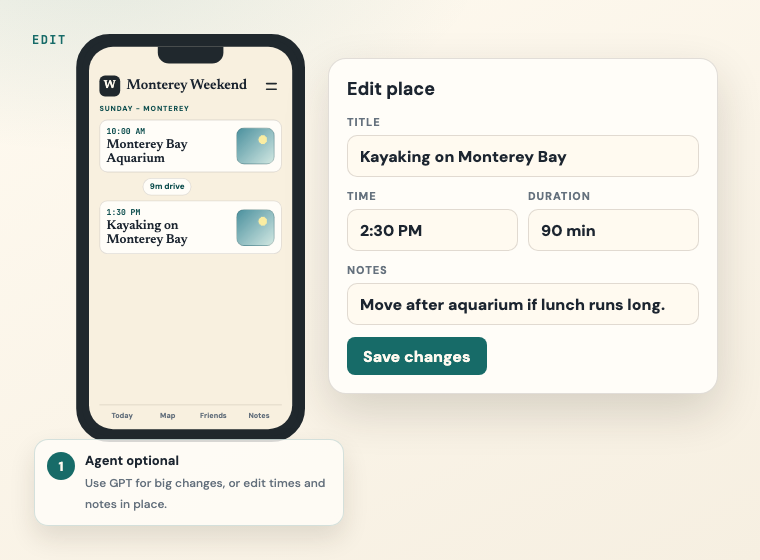
  • Change place titles, times, duration, and notes in place.
  • Use direct editing when the schedule changes during the trip.
Waypad edit place screen showing time, duration, notes, and save changes

3Automatic transit between places

Waypad can keep route information attached to the itinerary, so moving between places is part of the plan.
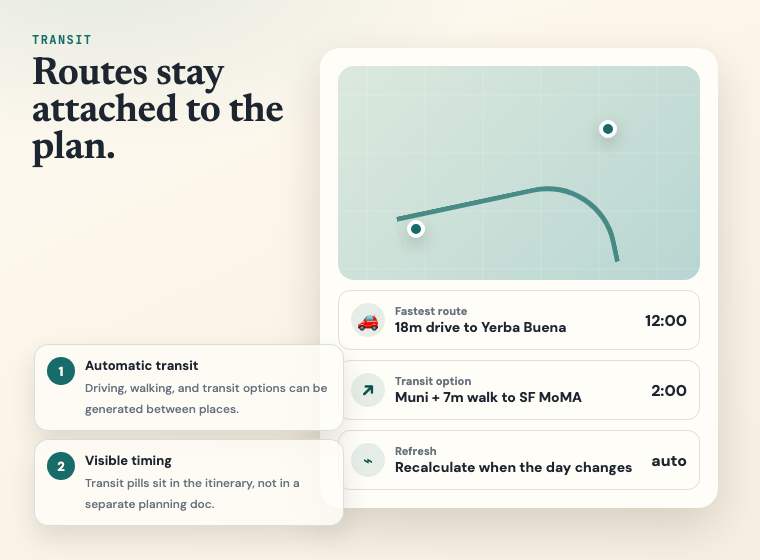
  • Generate driving, walking, and transit options between saved places.
  • Show useful travel-time pills directly between itinerary rows.
Waypad automatic transit screenshot with route map and route options

4Share places with friends

Planning with other people should not mean a messy document full of pasted links.

  • Paste a Google Maps link and Waypad turns it into a place card.
  • Comment on options, then schedule the place into a day.
Waypad friends screen showing a shared Google Maps link becoming a place card
Create a Trip